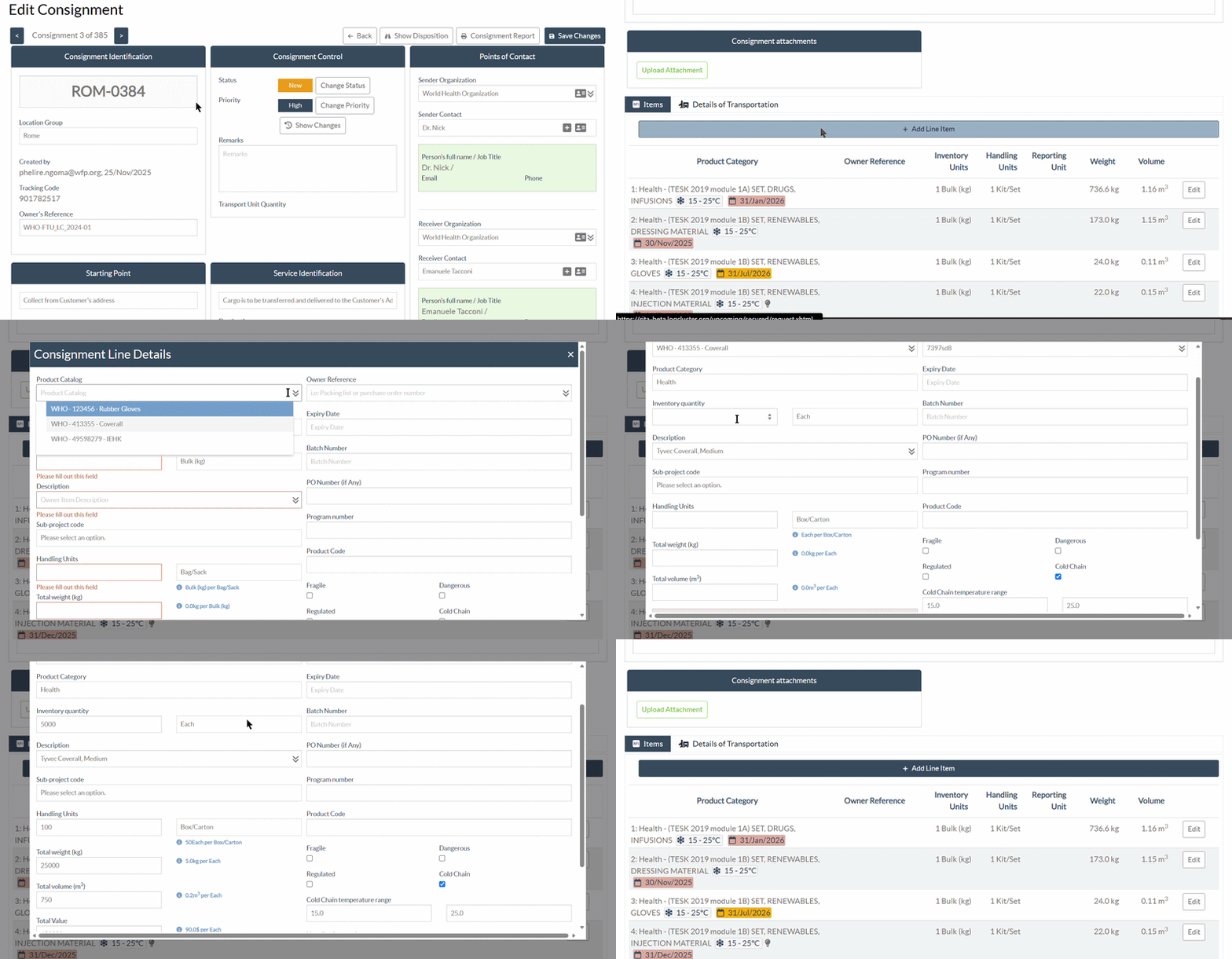
Product Catalogue
RITA operators can create a Product Catalogue to pre-register commonly used inventory items for a project. This allows both RITA operators and requestors to quickly select frequently used products when creating consignments, without having to enter the same product and packaging information each time. Note: Product Catalogues are project-specific and can be maintained based on the commonly stored or transported inventory items of participating agencies.
Step 1: Create the Product Catalogue:
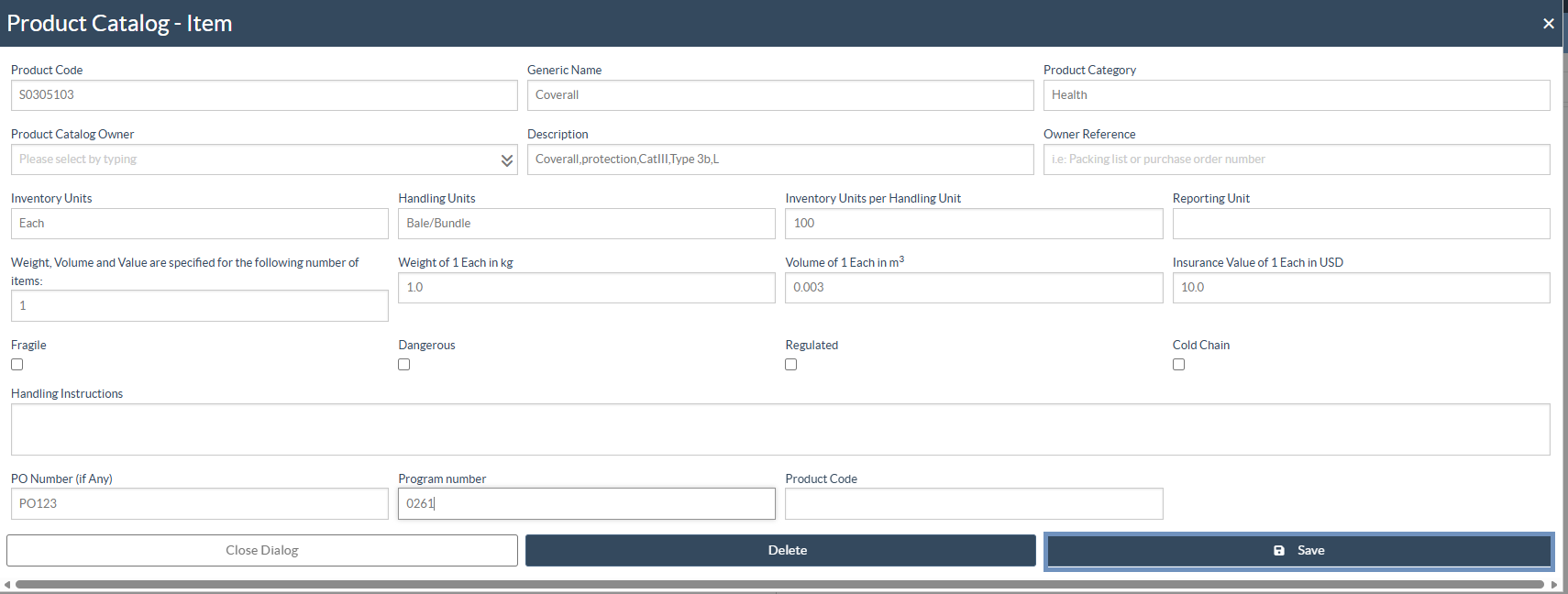
A Product Catalogue can be created for commonly stored or transported inventory items of participating agencies, allowing these items to be pre-registered in RITA and easily referenced when creating consignments.
When requesting the creation of items in a Product Catalogue, users should provide the relevant product information, where available, including the product code, generic name, product category, description, inventory and handling units, quantity per handling unit, weight, volume, insurance value, and any specific handling requirements.
To request the creation of a Product Catalogue, users should contact the RITA Support Team at rita.global@wfp.org.
Step 2: Select a catalogue item when creating a consignment
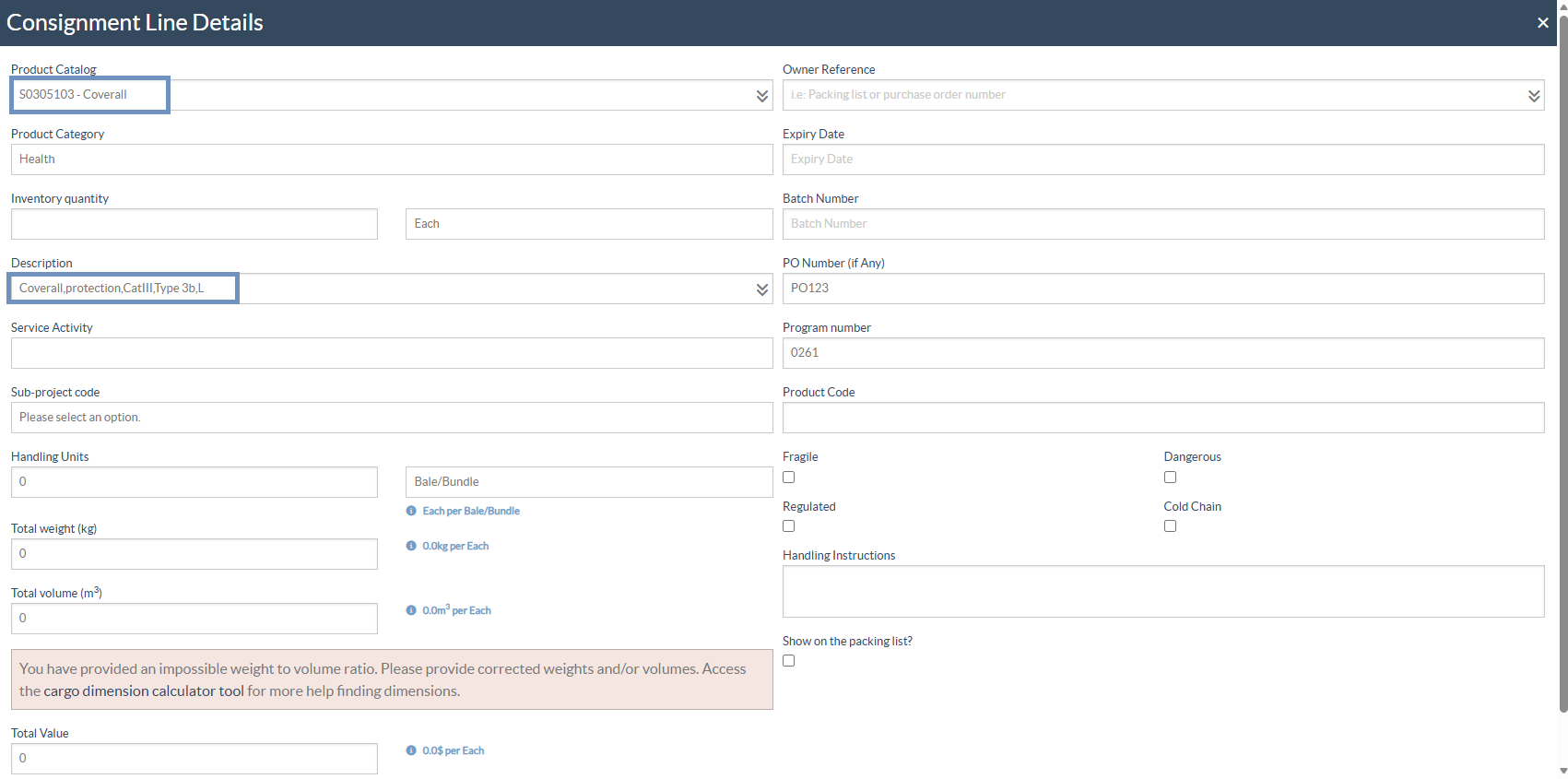
When creating a consignment or submitting a request, RITA operators and requestors can select an existing item from their agency’s Product Catalogue.
Once the catalogue item is selected, the associated product and package-specific information is automatically populated, reducing repetitive data entry and helping ensure consistency.
Step 3: Enter the Inventory Unit Quantity:
Users must enter the required Inventory Unit quantity in the designated field.
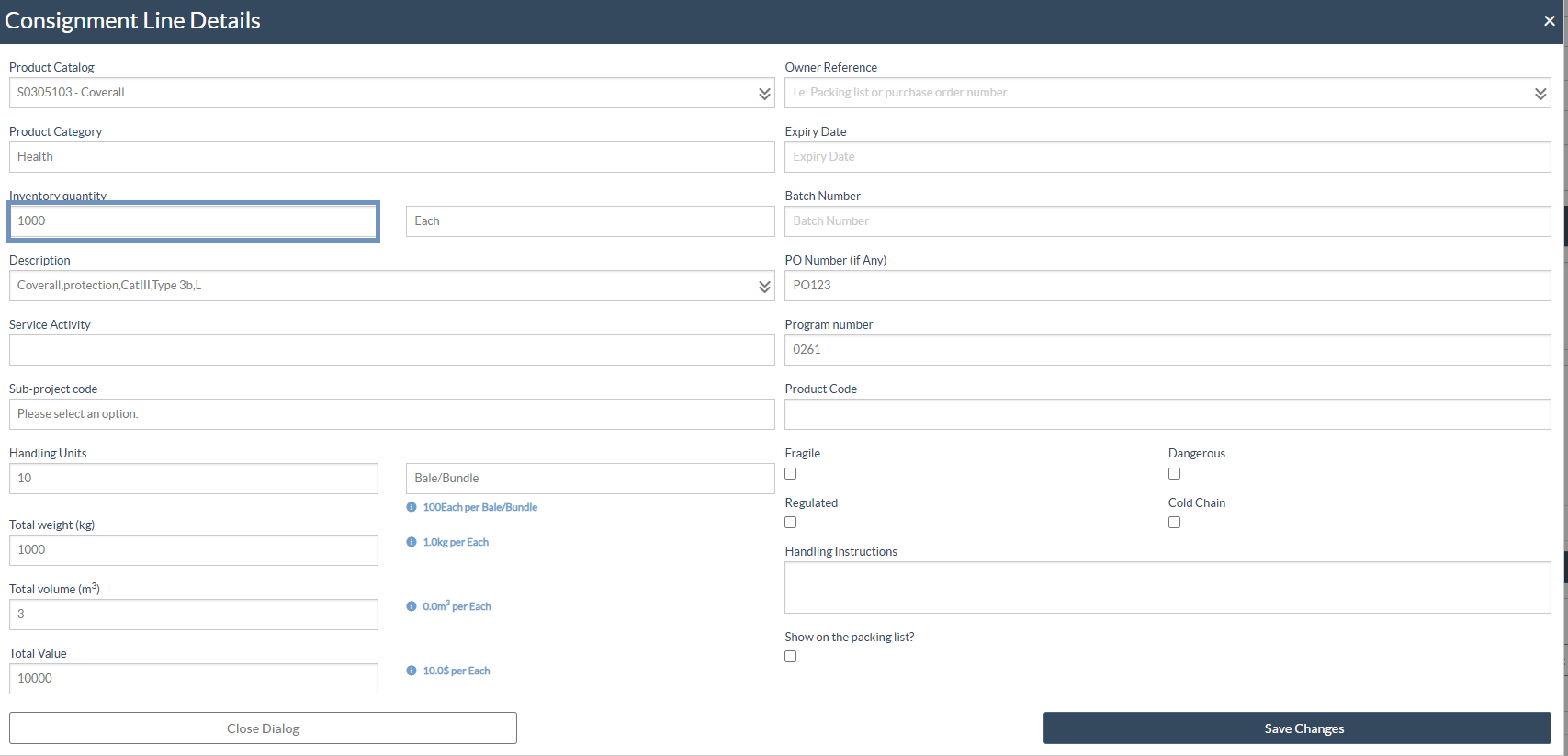
Step 4: The system will automatically calculate the corresponding Handling Unit quantity, weight and volume based on the configuration defined in the Product Catalogue.
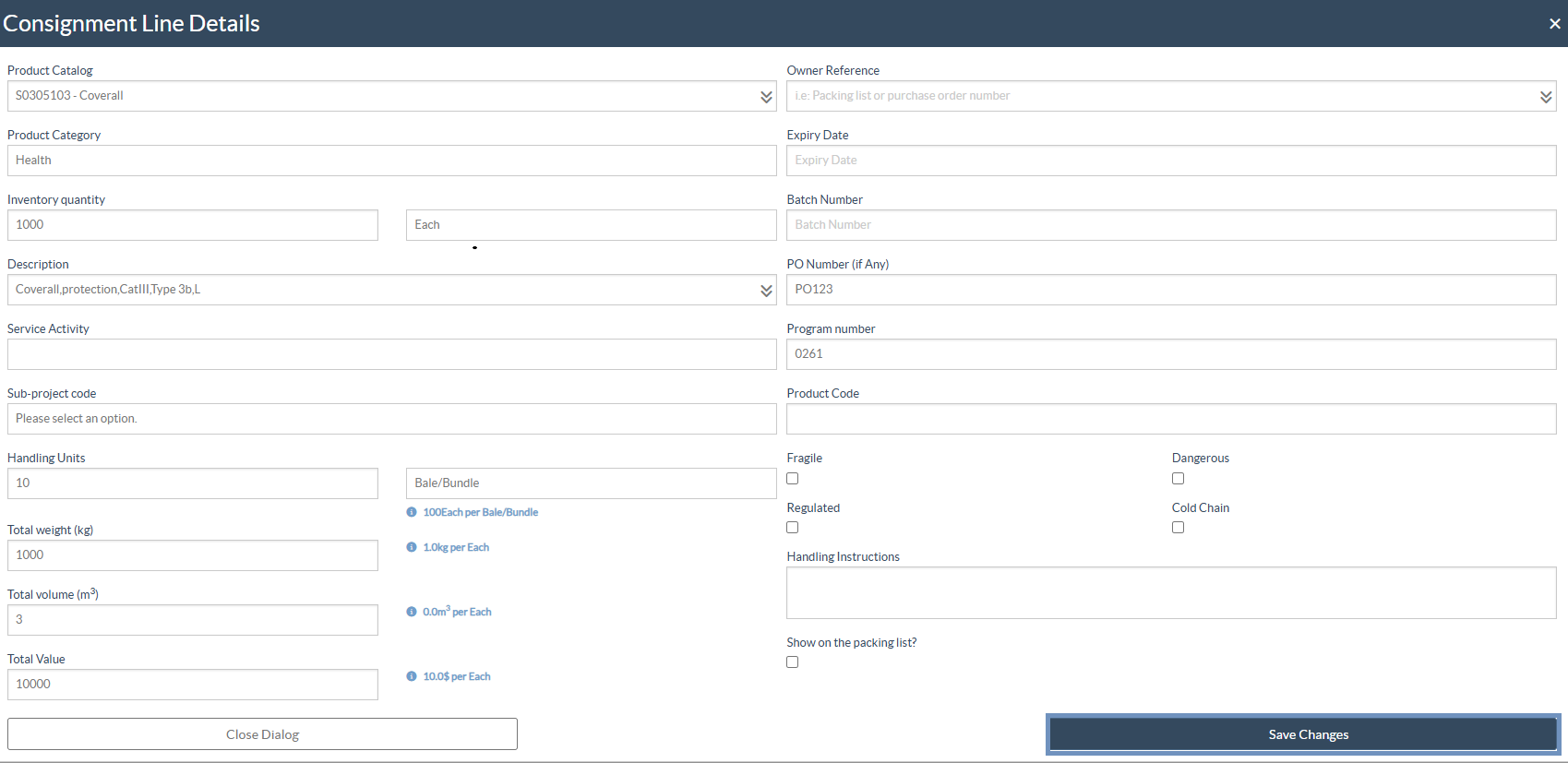
Step 5: Click "Save" and items will be added to the consignment. Refer to the image below: